Generating Dummy Data Made Easy with PowerShell
In the world of cloud engineering and system administration, there’s a frequent need to work with dummy data for testing and development. Whether it’s to evaluate the performance of a new system, test data transfer protocols, or simulate user scenarios, generating dummy data files is a common task. This is where a handy PowerShell function, New-RandomFile, comes to the rescue, making the process of generating random data files a breeze.
Imagine you’re a cloud engineer setting up a new data storage solution or azure storage based solution, and you need to populate it with files for testing. Manually creating each file would be a time-consuming and error-prone task. In another scenario, a system administrator is evaluating a backup solution, and they need a variety of dummy files with different sizes and formats to test backup and recovery processes. How do you generate these files efficiently? This is where New-RandomFile can help you generate data of any size and format with a single command.
Meet New-RandomFile
New-RandomFile is a PowerShell function that simplifies the generation of random data files with specified size and extensions. It’s a versatile tool designed to help cloud engineers, system administrators, and developers create the data they need for a variety of testing scenarios.
How It Works
The New-RandomFile function takes four essential parameters:
- loopCount: The number of files you want to generate.
- Path: The directory path where you want to generate the files.
- FileSize: The size of each file in bytes.
- Extension: The file extension you want for the generated files.
An Example in Action
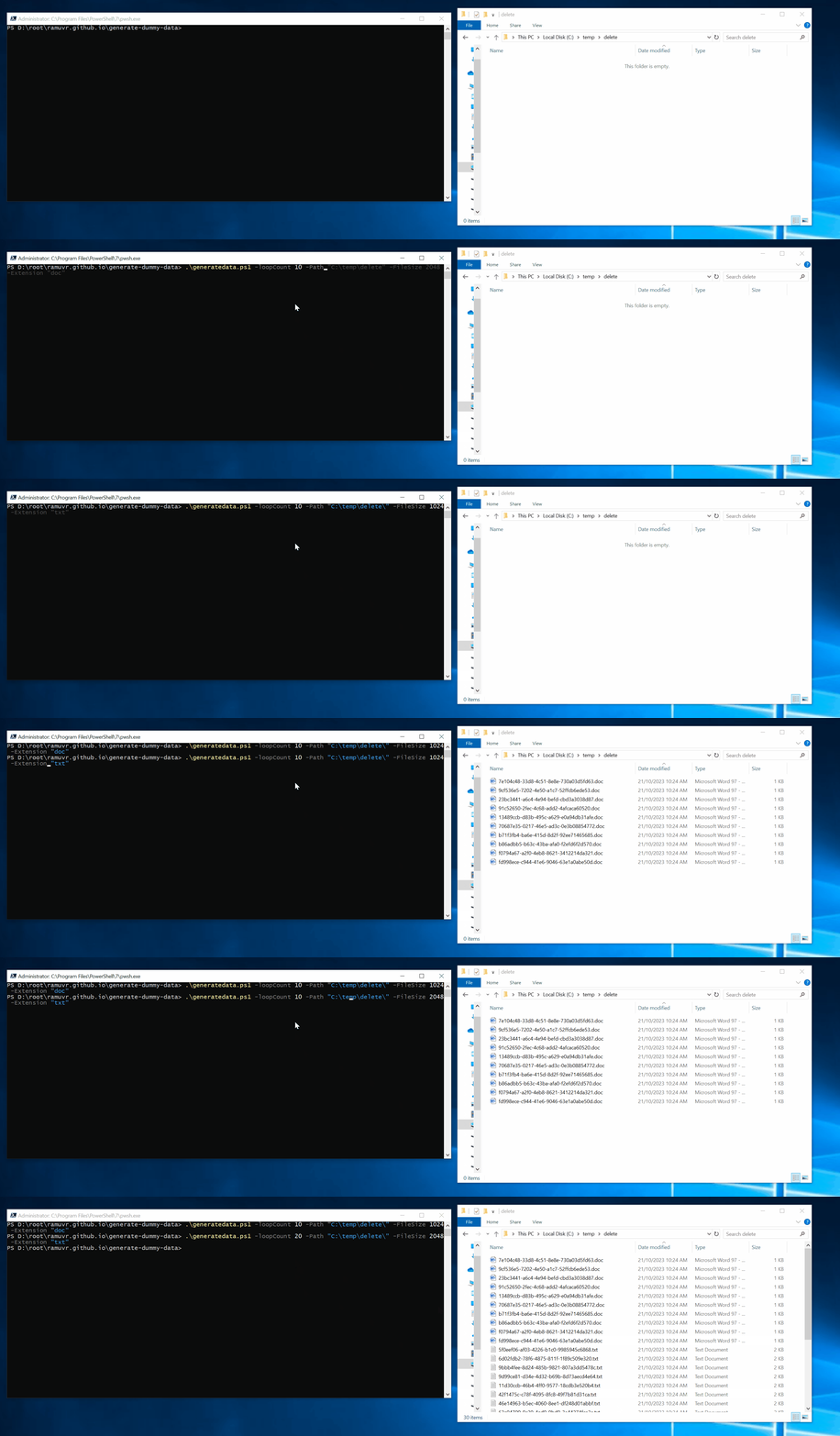
Let’s say you want to generate ten random text files, each with a size of 1,024 bytes, in the directory “C:\temp.” Here’s how you’d use the New-RandomFile function:
.\generatedata.ps1 -loopCount 10 -Path "C:\temp" -FileSize 1024 -Extension "txt"
With this simple command, the New-RandomFile function will create ten text files, each containing random data and having the size and extension you specified. This provides an easy and efficient way to create test data for your various projects.
Understanding the Code 1
The heart of this script is the New-RandomFile function, which uses PowerShell’s capabilities to generate and write random data to files. Here’s an excerpt of the core code:
    Function New-RandomFile {
    Param(
        $Path = $Path,
        $FileSize = $FileSize,
        $Extension = $Extension,
        $FileName = [guid]::NewGuid().Guid + ".$Extension"
    )
    (1..($FileSize/128)).foreach({
        -join ([guid]::NewGuid().Guid + [guid]::NewGuid().Guid + [guid]::NewGuid().Guid + [guid]::NewGuid().Guid -Replace "-").SubString(1, 126)    }) | Set-Content "$Path\$FileName"
}
This code creates random data by generating GUIDs, combining them, and setting the content of a file with this data. You can easily adjust the logic to create data in different formats or customize the content generation process.
1 See it in action here:
Summary
Generating dummy data for testing and development is a common need in the world of cloud engineering and system administration. The New-RandomFile PowerShell script simplifies this task by providing an easy way to generate random data files with specific characteristics. Whether you’re testing storage solutions, backup processes, or any other system that requires data, this script can save you time and effort. It’s a powerful tool in the arsenal of any IT professional looking to streamline their testing processes and ensure their systems are robust and reliable. The ability to automate data generation with New-RandomFile is a clear example of how PowerShell can make routine tasks more manageable and efficient in the realm of technology and systems administration.
Download
You can download a copy of the script from my GitHub repository here